Reset Your Password

Reset Your Password

Password Reset

1. Microsoft Account 

  1. Visit https://myaccount.microsoft.com/
  2. Sign in with your Piedmont Email Address
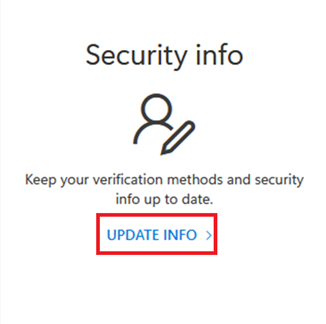
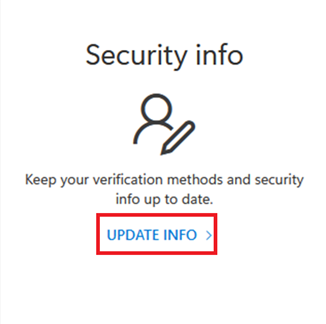
  3. Select
    Update Info
    UpdateInfo.png

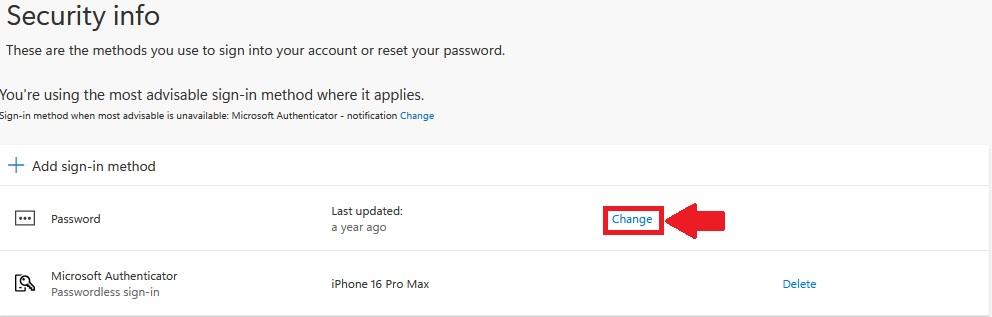
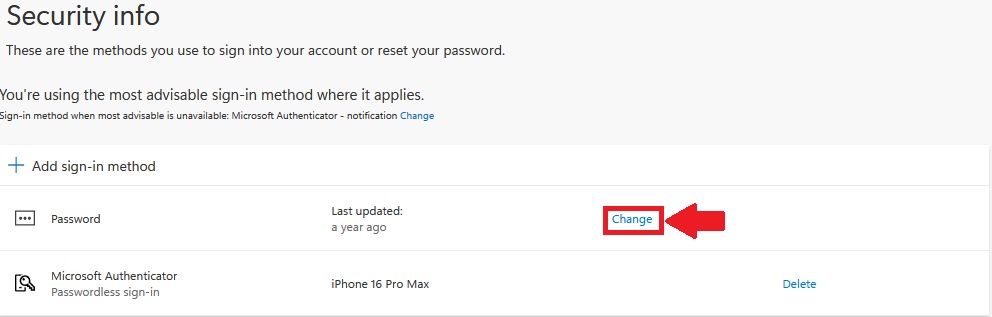
  4. Select Change next to Password 
    PasswordChange.jpg

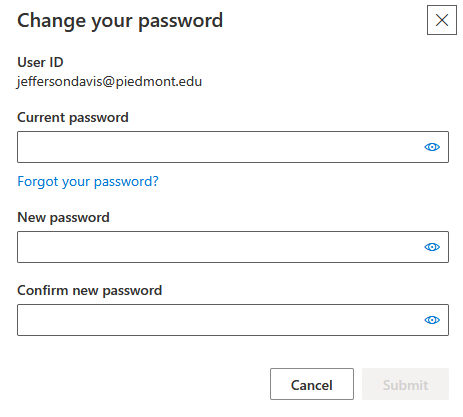
  5. Enter your Old Password
  6. Enter your new password
  7. Confirm your new password
  8. Select Submit to change your password
PasswordUpdate.png

IdeaPassword Requirements: Must be at least 12 characters long. Must have at least one capital letter. Must have at least one lower case letter. Must have at least one number. Special characters are optional. (Example - !, @, #, $, %, ^) Must have a minimum age of 1 day before it can be changed. Users cannot use the last 24 passwords they have used. Passwords are non-expiring.


    • Related Articles

    • Wi-Fi Instructions

      Network Name Who Should Use This Typical Devices Instructions Lions Faculty, Staff, and Students Personal Laptops, Phones, and Tablets Get Connected - Lions Wi-Fi Lions Guest Campus visitors and event guests Any visitor device Get Connected - Campus ...
    • Setting Up MFA

      Setting Up MFA When signing in you may see this message. This message indicates that you must reconfigure your Multi-Factor Authentication. Follow through the on-screen prompts until you reach a page with a QR Code Once you reach this page, please ...
    • Managing Your Desk Phone

      Managing your Desk Phone Change Greeting Dial 6650, wait for auto-attendant and then press # Enter your extension (if prompted) Enter your Voicemail Password Default is 1234 Wait for Main Menu options and press 7 to change your greeting Move ...
    • How To Work Remotely

      1. Equipment Checklist The Piedmont University IT Department provides the following for at-home workstations: Piedmont Laptop Laptop Charger VPN Connectivity These Items are sufficient to perform work from home. Additional equipment such as docking ...
    • MFA Passkeys

      MFA Passkeys 1. What is a Passkey? A passkey is a modern, phishing-resistant way to sign in without using a password! Instead of something you know (like a password), a passkey uses something you have (your phone or device) and something you are ...